Step-By-Step Network Flow
Learn how the RAKSHA Ireland community may coordinate non-confrontational support when an SOS is triggered.
Five Simple Steps to Safety
From verified sign-up to a resolved alert — here's the full journey at a glance.
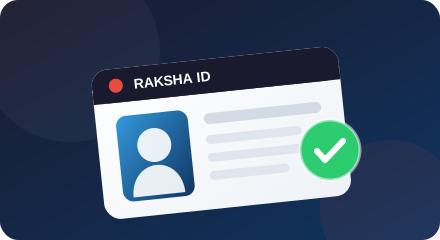
Verify Identity
Sign up and submit your government photo ID for manual approval.
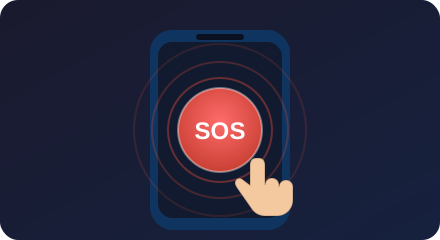
Tap SOS
One tap on the SOS button instantly captures your GPS location.
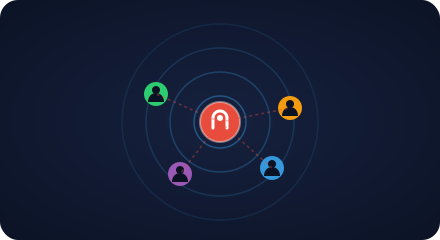
Alert Broadcast
Vetted members within 1–2 km receive an instant priority alert.
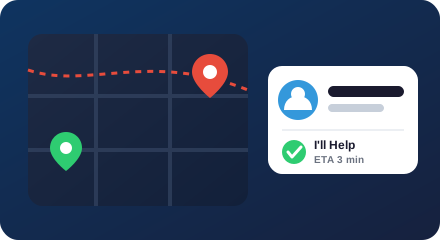
Get Confirmation
A responder accepts and you see their name and live ETA.
Stay Safe
The responder arrives, you confirm safety, and the alert is logged.
📋Register & Submit Photo ID
Download the RAKSHA app and sign up with your name, phone, email, and a photograph of your government-issued ID. Our administrative team manually reviews each account to guarantee identity verification.
☝️Tap SOS in an Emergency
In any threat or unsafe scenario, open the app and tap the large SOS button. RAKSHA immediately queries your smartphone GPS hardware, locking your exact location coordinates within seconds.
📡Broadcast to Vetted Community
Your emergency SOS is securely uploaded and instantly routed to all approved community safety members within range (1–2 km radius), bypassing lock screens with priority push alerts.
📱Receive Live Confirmation
The moment a nearby responder swipes 'I'll Help', your phone vibrates and updates with their name and ETA. You know exactly who is coming to assist, reducing panic and uncertainty.
🤝Safe Resolution
If a member reaches you, they offer non-confrontational support only. You confirm your status, the alert is closed, and a record is kept in line with our privacy policy. Always call 112/999 if your safety is at risk.
What "verified" actually means
We ask for a government photo ID so that the people who can respond to an alert are real, accountable members — not anonymous accounts.
What happens when things don't go to plan
A community network can't promise a response. Here's exactly what the app does in the situations that matter most.
No responder accepts
A community response is never guaranteed. If no verified member accepts within a short window, the app prompts you to call 112/999 and share your location with a trusted contact. Your alert stays active until you cancel it or mark yourself safe.
You triggered it by accident
Tapped SOS by mistake? You can cancel an alert at any time from the app. Cancelled alerts are marked as a false alarm and no responder is asked to attend. Repeated false alarms may be reviewed to keep the network reliable.
The situation is unsafe for responders
Responders are asked to offer non-confrontational support only. If a scene looks dangerous, they are instructed to keep their distance and call emergency services rather than intervene. Their safety and yours come before any response.
It needs the Gardaí or an ambulance
RAKSHA is a support layer, not an emergency service. For any medical, fire or crime emergency, the app always directs you to call 112 or 999 first — a community member cannot replace professional responders.
You lose signal or battery
RAKSHA needs data or mobile signal to send an alert. If your connection drops after an alert is sent, responders keep the last known location you shared. We recommend keeping your phone charged and, where possible, sharing your plans with a trusted contact.
You want to cancel
You stay in control. You can cancel an alert or mark yourself safe at any point. Once an alert is closed, your location is no longer shared with anyone.
A network built on mutual respect and vetting
RAKSHA is not a replacement for Gardaí (police) or professional ambulance crews. It is a community support layer for the period before professional help arrives. Members agree to a code of conduct — no confrontation, no pursuit, and a duty to help contact emergency services when needed.
Join the Waitlist